Nitrogen Headers
Request headers#
Your server will receive following request headers from Nitrogen :
X-Nv-True-Client-Ip#
This request header contains the IP of user’s device.
X-Nv-Geo-Country#
This request header contains 2 letter standard country code of user’s request country.
X-Nv-Device#
This request header contains 2 letter device-type-code.
dt: Desktopsp: SmartPhonetb: Tabletst: SmartTVbt: Botot: Other
X-Nv-Is-Mobile#
This request header tells you whether the request came from a mobile device.
true: Request is from a mobile device.false: Request is from any other device type.
X-Nv-Geo-Lat#
This request header latitude of user’s request location.
X-Nv-Geo-Lon#
This request header longitude of user’s request location.
You can set these header names to the ones used in your code using Nitrogen headers module
Response headers#
Your can see following response headers for the requests that flew through Nitrogen :
X-Cache#
Refer this response header to know if the response was served from cache or origin.
HIT: Response is served from CDN cache.MISS: Cache for response was expired/purged, and it is served from the origin.NONCACHED: Response is not set to be cached, and is served from the origin.
X-Nv-Ver#
Refer this response header to know the configuration version through which this request was served.
Nitrogen debug header#
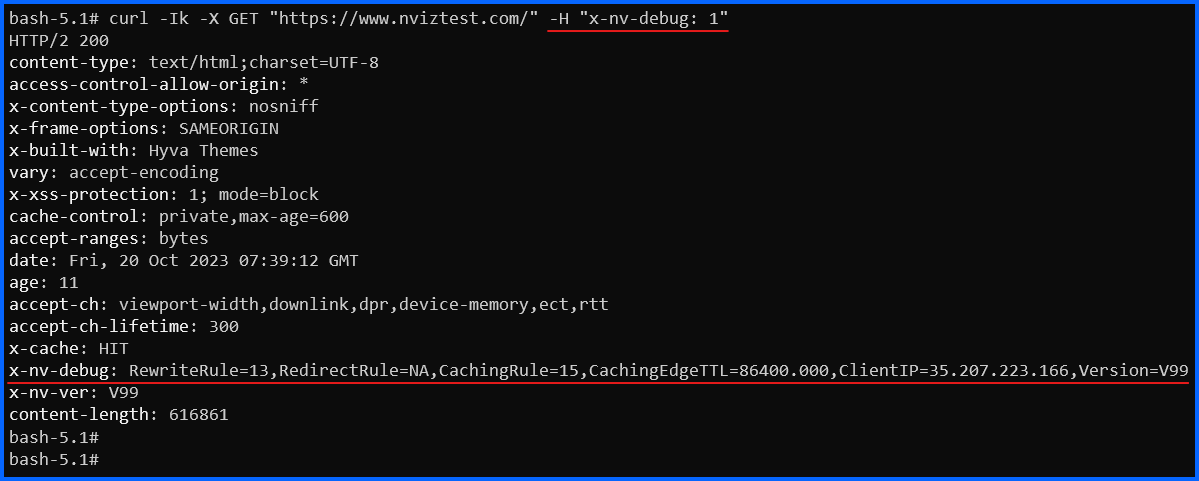
X-Nv-Debug: 1
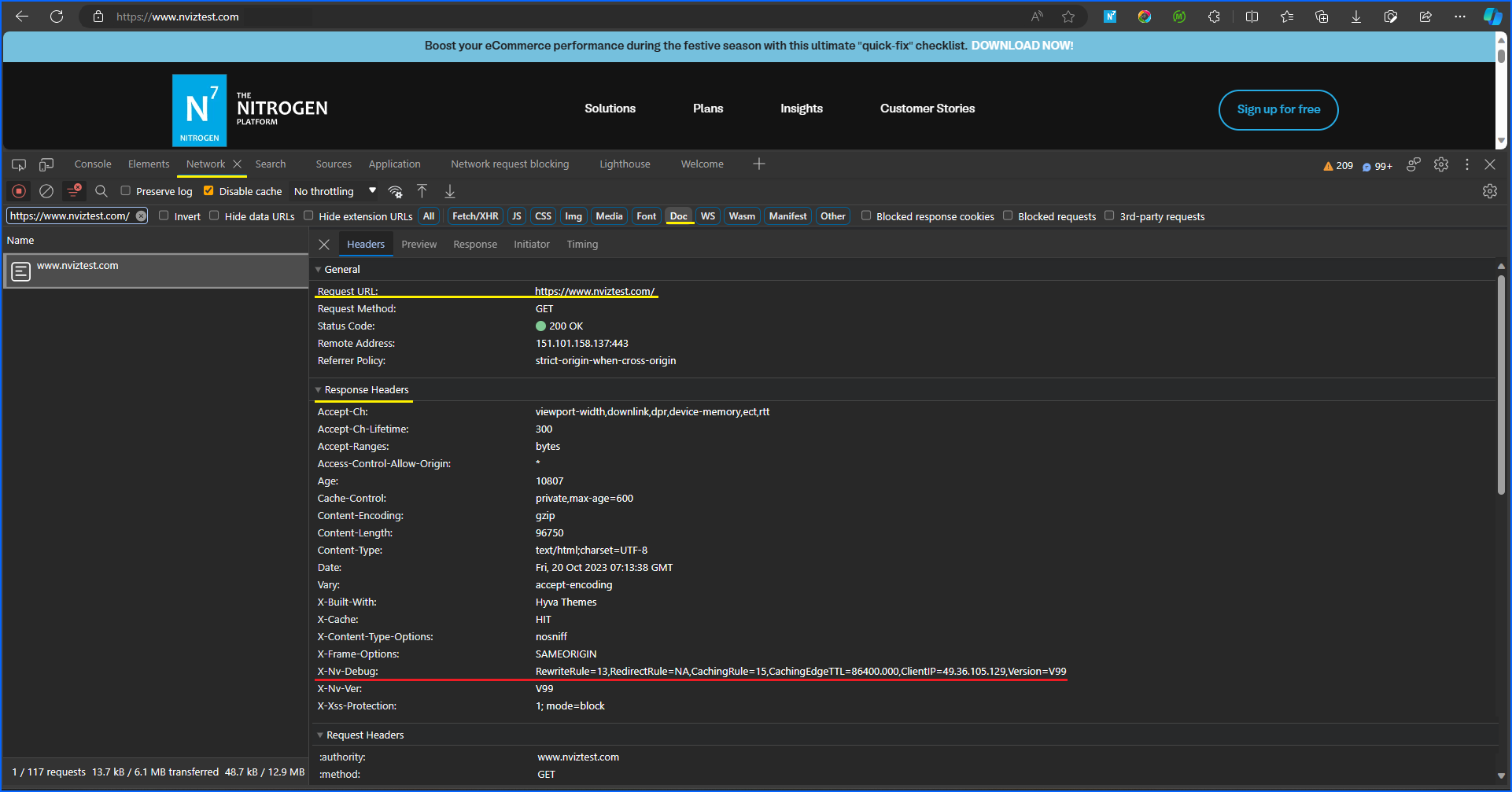
Add this header to the request, to see the following N7 configuration details in the value of X-Nv-Debug response header :
Version: Dash configuration version through which this request was served.RedirectRule: Dash index of redirection rule applied to this request.Note: This will show index of redirection rules configured using Dash, not the ones configured using Shift CSV import.RewriteRule: Dash index of rewrite rule applied to this request.CachingRule: Dash index of caching rule applied to this request.CachingEdgeTTL: Edge TTL set for this resource (in seconds).ClientIP: IP of the device from which this request originated.
To see this info in browser, install any respective browser plugins available e.g. Simple modify headers
, and set the X-Nv-Debug request header using it.Then, in DevTools > Network > Response headers
you will be able to see the details like below: