
Static Pages
Refer this page to serve static files from Nitrogen itself. You can use it for serving resources like robots.txt, maintenance page, logo etc.Note: For demo purpose, we will be using www.nviztest.com domain as an example.Here, we will be setting desktop and mobile WPTs for homepage.
Prerequisite#
- You must have a domain configured on Nitrogen
Steps#
Click on
Domainsmenu, then selectStatic Pagestab. Select appropriate domain from the domains dropdown.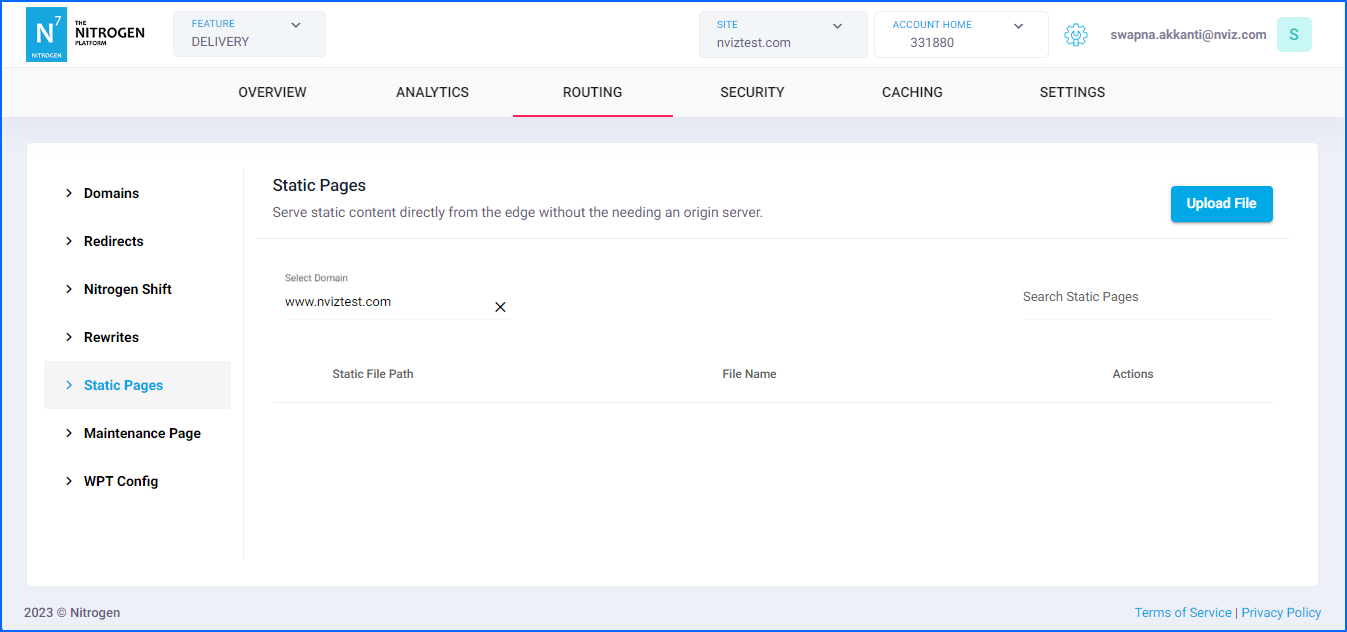
Click on
Upload Filebutton at top right corner.You will be taken to a screen to upload the file and its path to be used in request.Provide the required details:
Choose File: Click on this button to browse and upload the desired file.Static File Path: The URL path to be used in rewrite.Note: Do not keep the / at the beginning of the URL.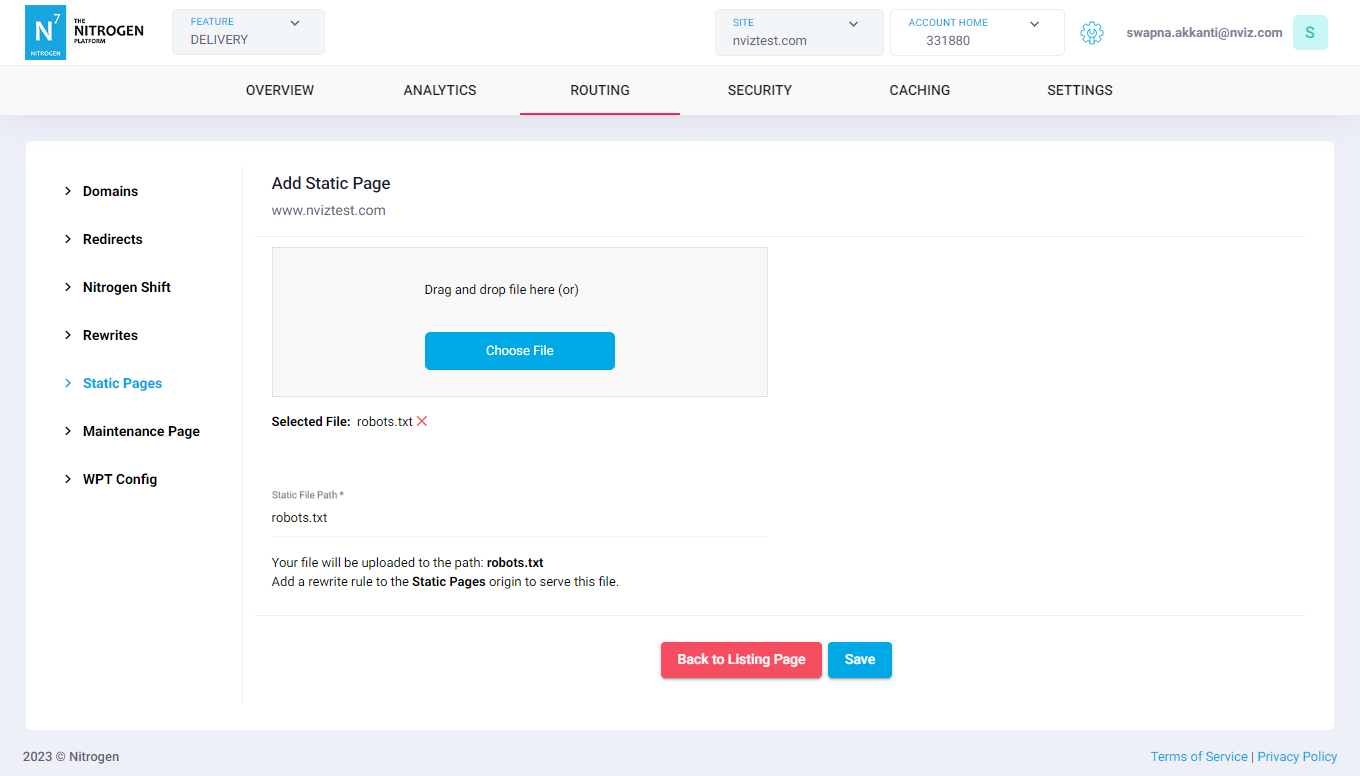
Click on
Savebutton. The configured rule will be showed inStatic Pageslist.
Notes#
These changes reflect real-time, and do not need deployment.
To use the file, you need to configure a rewrite rule with
Static Pagesorigin.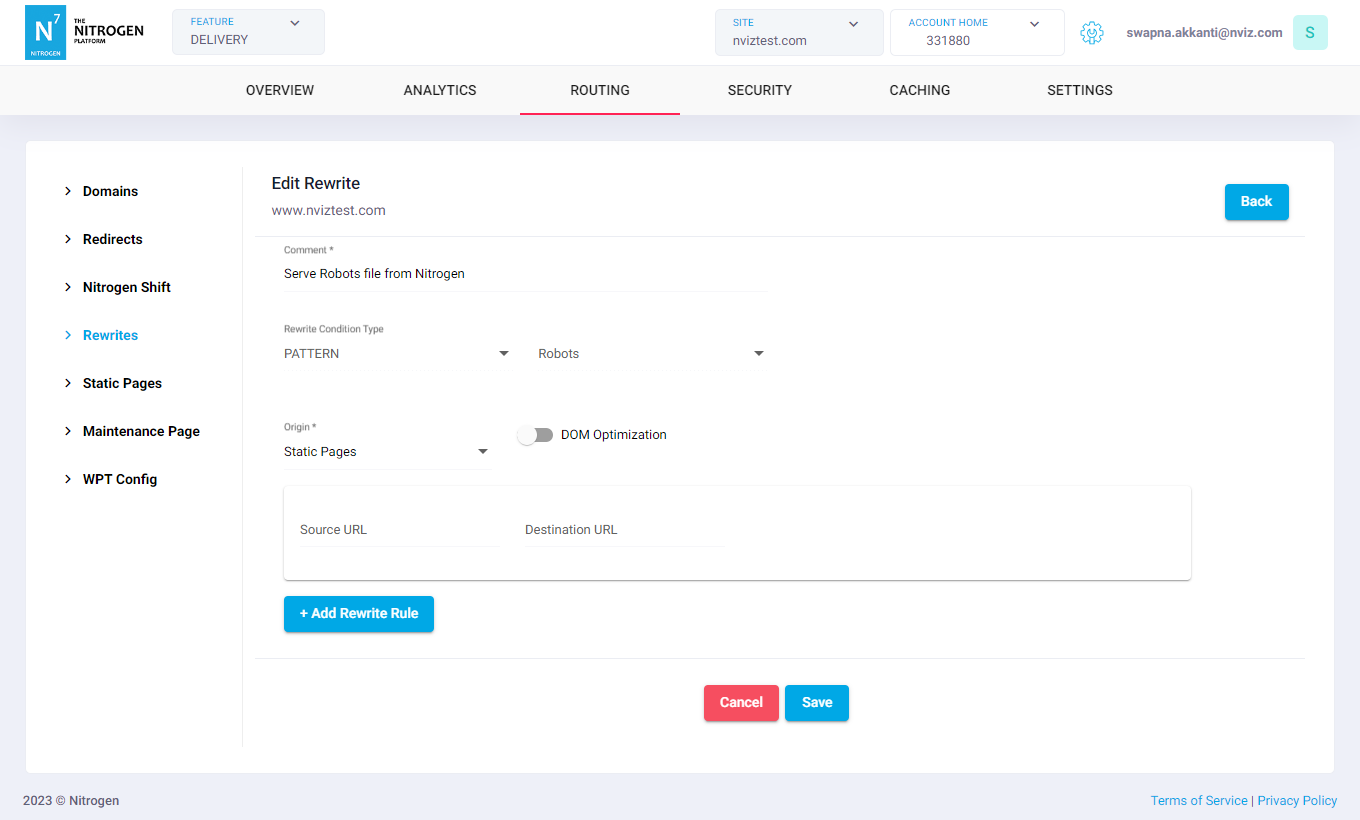
Use Nitrogen debug header to identify which rule is getting applied to resource.