
SERA integration on Akamai
Kindly follow the below steps to setup the routing of bot traffic to SERA.
Prerequisites#
- All your page requests must get intercepted by below SERA routing rule
- Please check your routing, caching and cache-variation policies for that
- If caching is enabled, Users and Bots should have a separate cache-variations configured. This is to not serve the SERA’s bot-optimized-content to users.
Steps#
Open Akamai Dashboard, and Create new Configuration Version
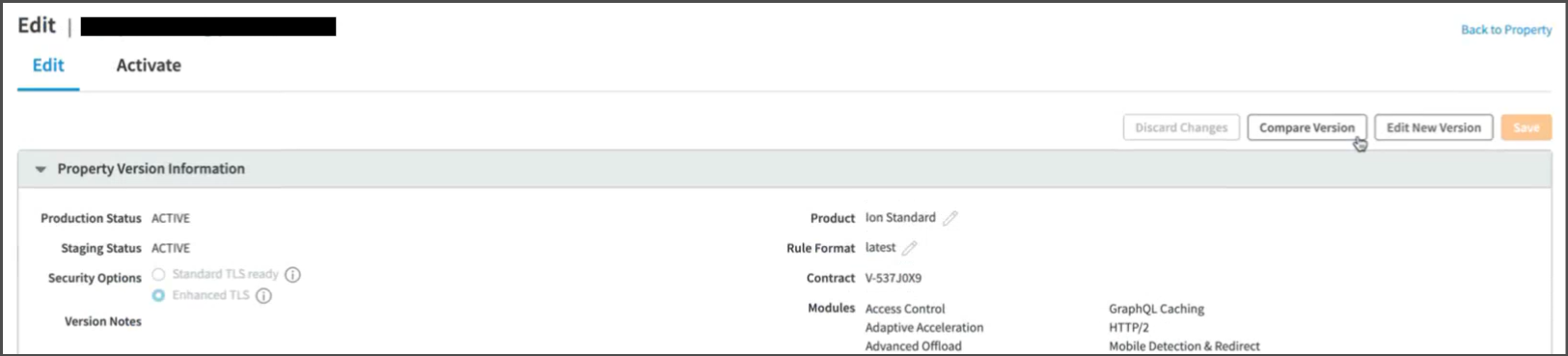
From now onwards, while creating any condition, uncheck the
Case-sensitive namecheckbox from theAdditional Optionsmenu.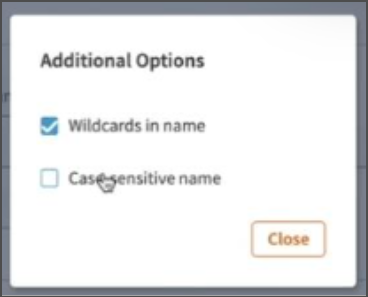
Creating Property configuration rule#
Create new rule in Property Configuration Settings
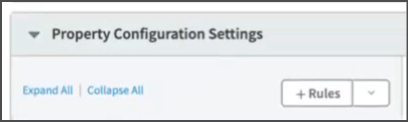
Add following conditions :
Request Method: Selectis one ofcondition, and set value asGETPath: Selectmatches one ofcondition, and add respective page url pattern(s) that will be sent to SERA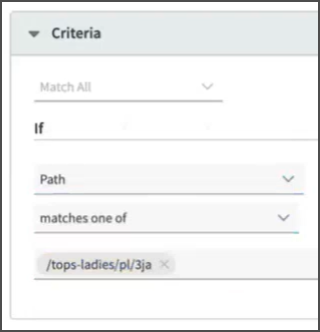
User-Agent: Selectis one ofcondition for following user-agent valuesDuring POC phase, add these agents :
*n7TestUserAgent**PTST**GTmetrix**google\ page\ speed**chrome-lighthouse**google-inspectiontool**n7ua*
For going live with SERA, add these agents :
*n7TestUserAgent**PTST**GTmetrix**google\ page\ speed**chrome-lighthouse**google-inspectiontool**n7ua**googlebot**facebookexternalhit**bingbot*
For going live with SERA on AI bots, add these agents :
*openai**gptbot**claudebot**claude-user**perplexity-user**perplexity-bot**google-extended**google-cloudvertexbot**google-notebooklm**amazonbot**duckassistbot**metaai**metabotic**meta-externalagent**copilot**baiduspider*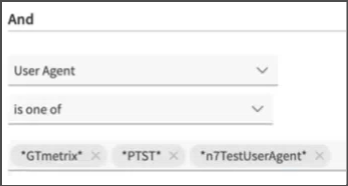
File Extension:- Select
is one ofcondition for your page extension value likehtml,aspx,php
If the pages do not have any extension, leave the list empty.
- Select
Request Header: Selectdoes not existscondition and set value asx-nv-appas header nameRequest Header: Selectdoes not existscondition and set value asx-nv-sera-bypassas header name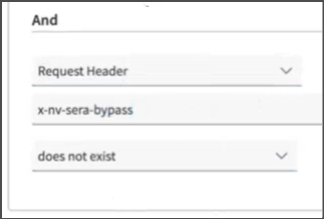
x-nv-appandx-nv-sera-bypassheaders mentioned in logic are added on request when SERA connects to your server to fetch page content for optimizing and caching, and also when it bypasses the requests to origin on failover scenario.
These requests are bypassed to your server.Add a rule to exclude any requests containing the
nsbpquery parameter in their urlGMC requests should always be served with fresh content, else Google flags them with content-mismatch.
So, make sure all the product URLs in your GMC feed file havensbpquery parameter.
Above condition will bypass SERA for such requests, and route them to your origin.
Adding Behavior to the rule#
Scroll down to
BehaviorssectionClick on
+ Behavior button
IF YOUR SITEMAP PAGE URLS DO NOT HAVE QUERYSTRING - add
Remove Outgoing Request Parameters Behavior, and keep the parameter list emptyScroll down to
Origin Serversection, and fill following details :Origin Type:Your originOrigin Server Hostname:SERA_ENDPOINT(Use the one shared by N7 team with you)Forward Host Header: Leave as it isCache Key Hostname: Leave as it isIPV6 Origin Support: Leave as it isSupports Gzip Compression: Leave as it isSend True Client IP Header: Leave as it isTrue Client IP Header Name: Leave as it isAllow clients To Set True Client IP Header: Leave as it is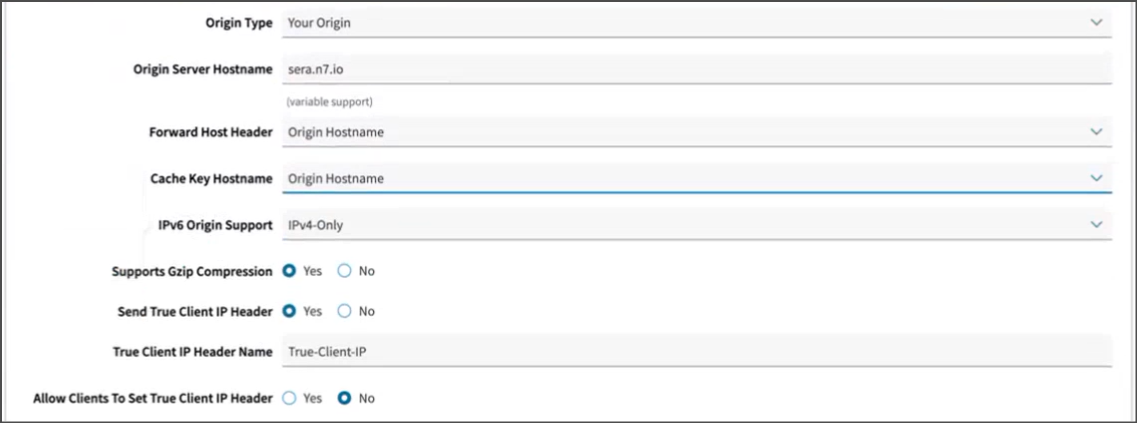
Scroll down to
Origin SSL Certificate Verification,Ports,Origin TLS Versionsections, and fill following details :Origin SSL Certificate Verification:Verification Settings:Choose Your OwnUse SNI TLS Extension:YesMatch CN/SAN To: Leave as it isTrust:Akamai-managed Certificate Authorities SetsAkamai-managed Certificate Authorities Sets: Switch on bothAkamai Certificate StoreandThird Party Certificate Store
Ports:HTTP Port:80HTTPS Port:443
Origin TLS Version:Minimum TLS Version:Akamai Supported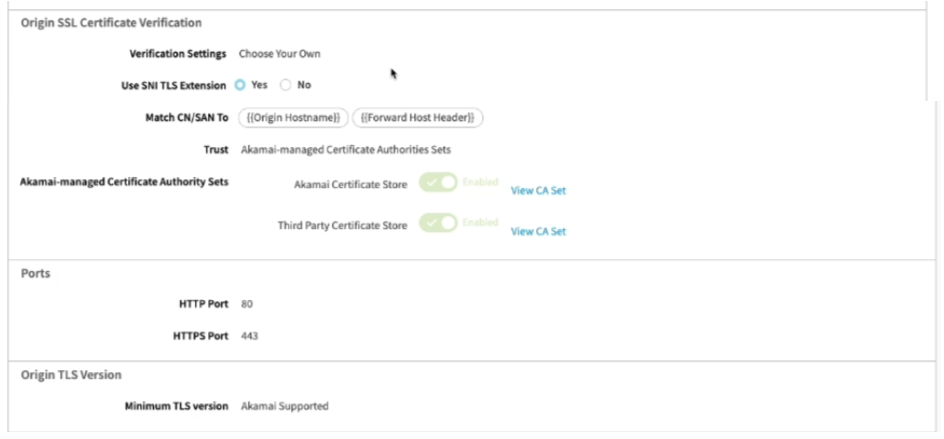
Scroll down to
Caching rulesection, andDeleteit :
Setting up Outgoing request header#
Scroll back up to
Behaviorssection topClick on
Standrd property behavior
Select
Modify Outgoing request headerfrom the list, and Click onInsert Behaviorbutton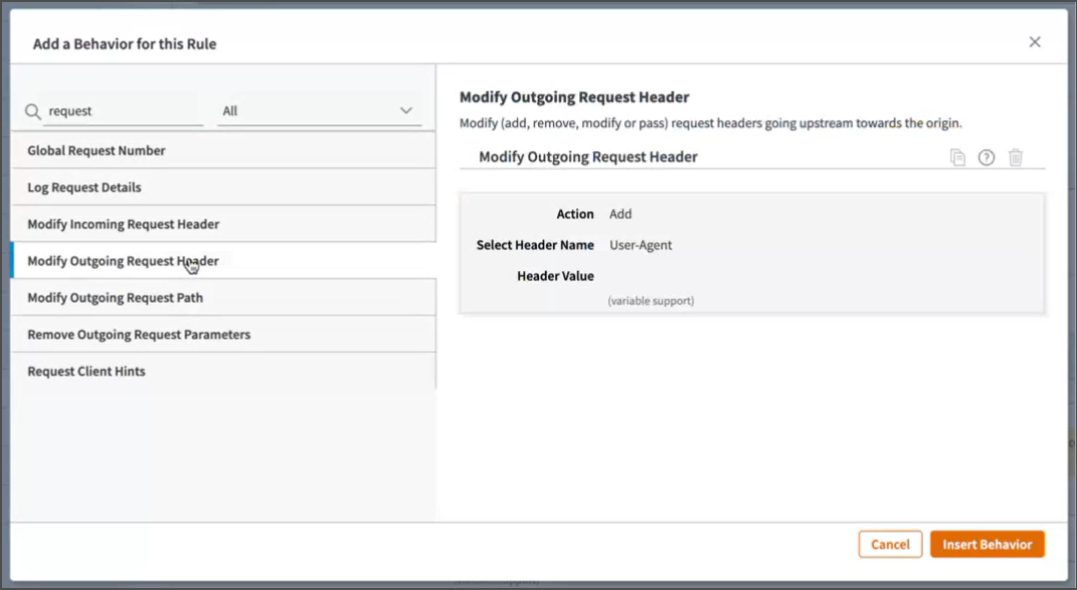
Fill following details :
Action:AddSelect Header Name:OtherCustom Header Name:X-NV-SERA-TOKENHeader Value: The value shared by N7 team with you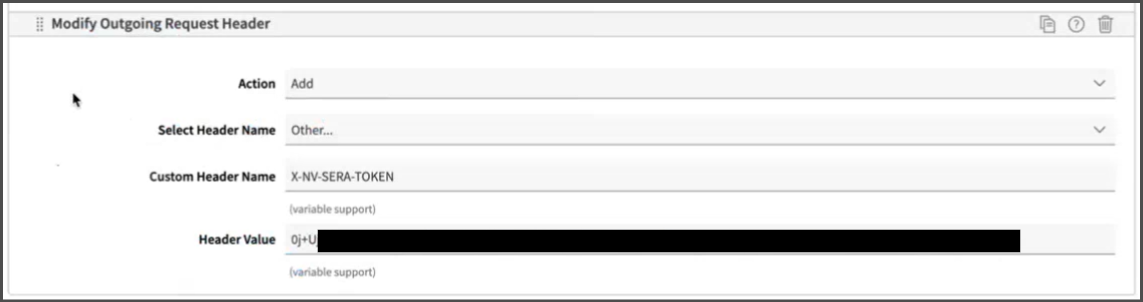
Save and Activate#
Scroll to bottom, click on and
Savebutton
Switch to
Activatetab, andActivateit in the respective environments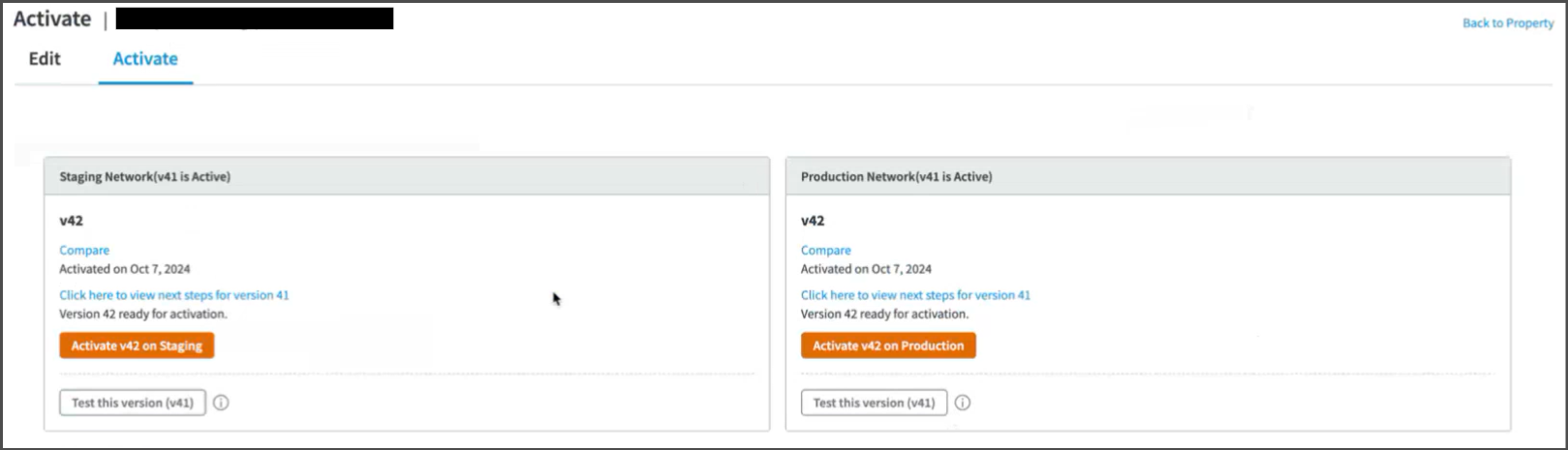
To verify, access any page matching configured pattern, and with one of the configured user-agents. It should show few response headers starting with
X-SERA
Testing and Refinement#
Keep refining the logic by adjusting user-agent list, and SERA exclusion-patterns as needed.
Test thoroughly:
WPT and GTMetrix will automatically receive the response from SERA due to the routing rule set above.
- Steps to validate page using WPT
To check the SERA rendered page on browser, you can use DevTools > Network conditions facility , or some browser extension (like Simple modify headers ) to manipulate the browser user-agent.If in testing phase, use these user-agent values:For desktop:
n7TestUserAgentFor mobile:
n7TestUserAgent; AndroidIf SERA is live, you can use these actual bot user-agent values:For desktop:
Mozilla/5.0 AppleWebKit/537.36 (KHTML, like Gecko; compatible; Googlebot/2.1; +<http://www.google.com/bot.html)> Chrome/W.X.Y.Z Safari/537.36For mobile:
Mozilla/5.0 (Linux; Android 6.0.1; Nexus 5X Build/MMB29P) AppleWebKit/537.36 (KHTML, like Gecko) Chrome/W.X.Y.Z Mobile Safari/537.36 (compatible; Googlebot/2.1; +<http://www.google.com/bot.html)>
Whitelist SERA requests at your origin to avoid any issues with indexing. Details are here
On go-live day, set the user-agent condition regex to actual bot user-agent values. Additionally, ensure that your condition is case-insensitive.
After go-live, in any dashboards created for monitoring the “actual user traffic” e.g. Google analytics, exclude the requests with user-agent string containing word “Nitrogen SERA” to get correct understanding about user-traffic.