
URL patterns
This page will show you steps to configure request patterns. These then can be used at multiple places such as rewrite/caching/blocking rules.Typical use-case is, you would want to proxy a set of URLs to a certain endpoint, or use in a certain condition group.
*Note: For demo purpose, we will be using example.com domain as an example.Here, we will be defining a URL pattern for Non SERA requests patterns
Prerequisite#
- You must have a domain configured on Nitrogen
Steps#
Click on
Settingsmenu. You will be seeingURL Patternstab.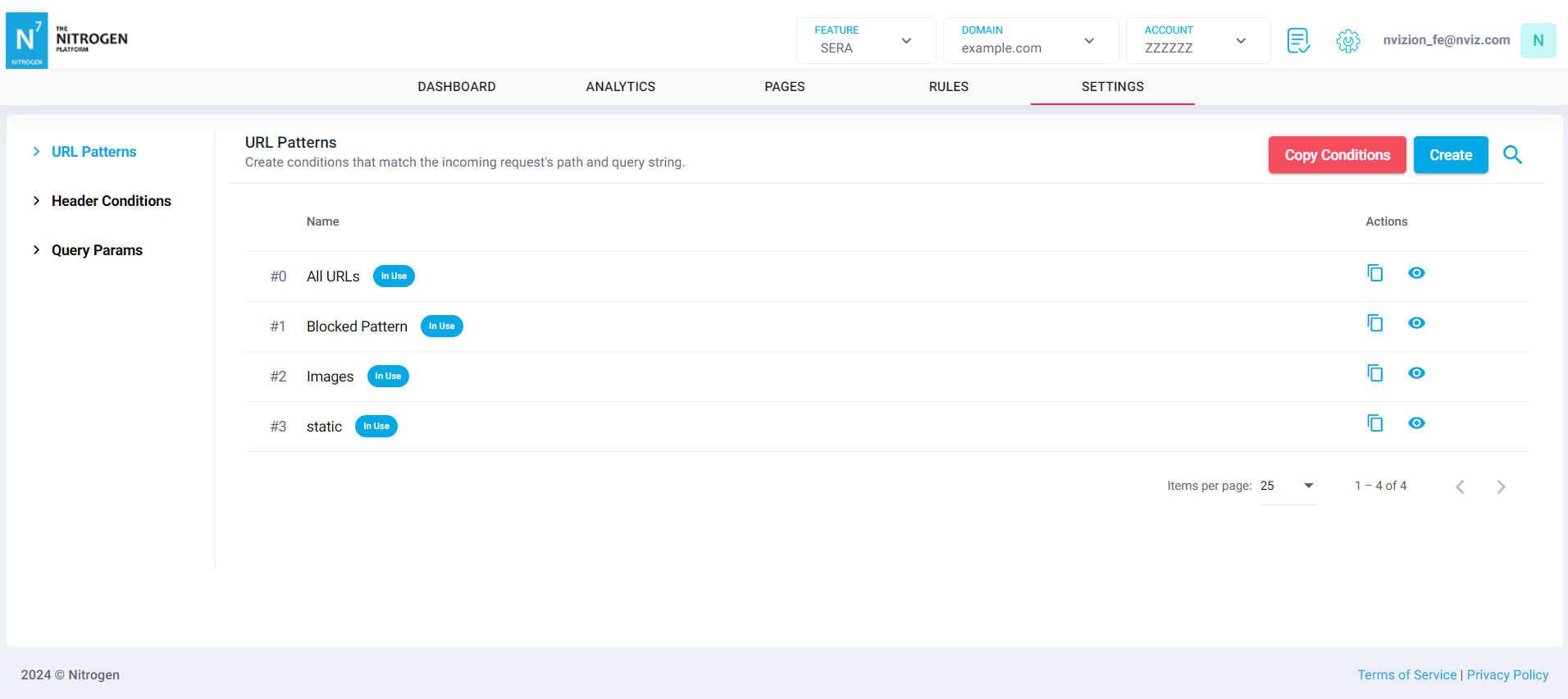
You will be taken to a screen to provide URL pattern details.Provide the required details:
Group Name: Provide short detail about the URL pattern.For example, EnterNon SERA Requests Patterns. Note: Please keep the name meaningful and relevant.Pattern: It specifies the regex pattern for the request URL.For example, add the following pattern for the requests which need not to be passed through SERA.*\.(jpg|jpeg|png|webp|avif|gif|bmp|ico|svg|js|css|woff|woff2|ttf|eot|otf|mp3|mp4|mov|ogg|webm|wav|exe|json|txt|xml|zip|csv|pdf|php|jsp|ashx|aspx|asmx)(\?.*)*$Enable Full Regex Support: As we are using a regex, enable this flag. It can be kept disabled if you are matching absolute URLs.Ignore Case: Enable this flag if you want the match URL pattern without matching the case.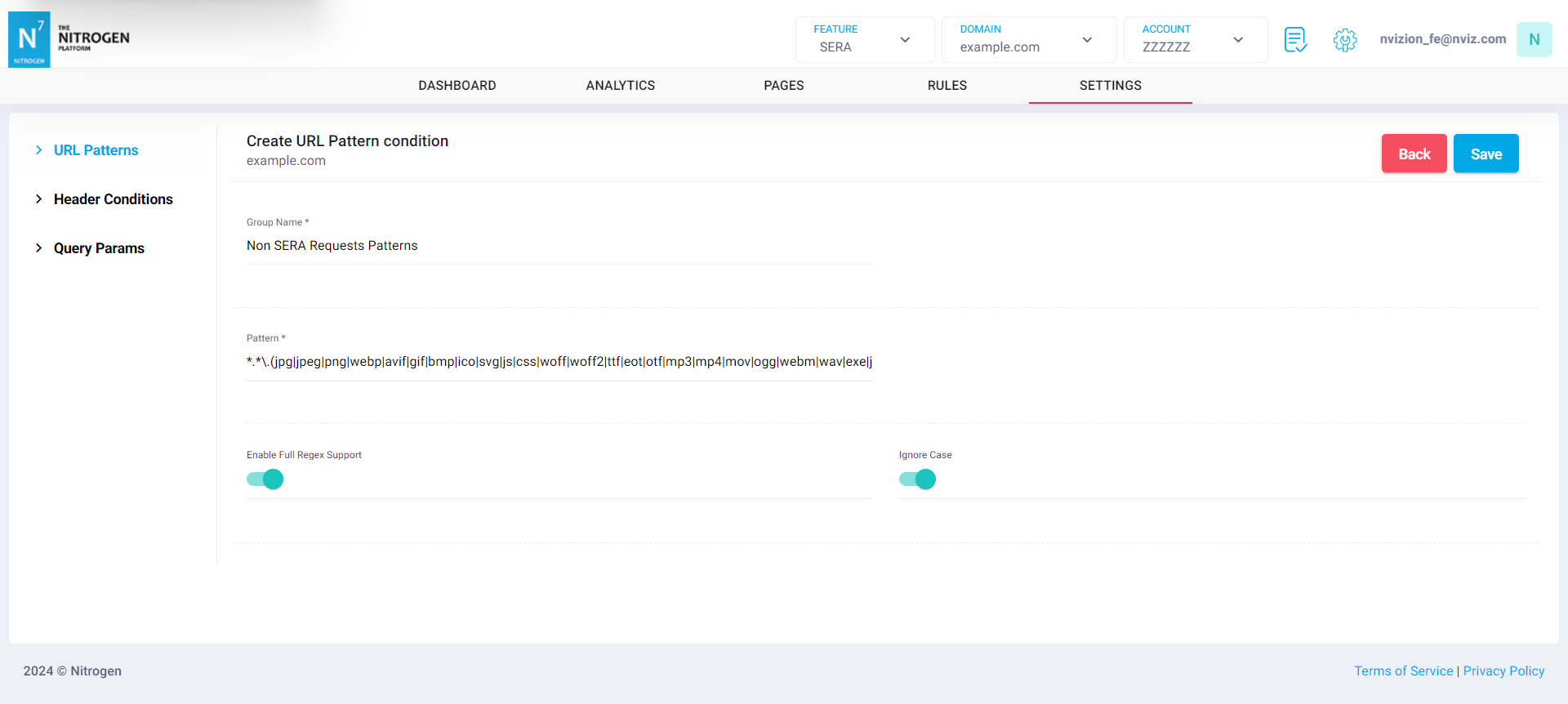
Click on
Savebutton. The configured pattern will be showed inURL Patternslist.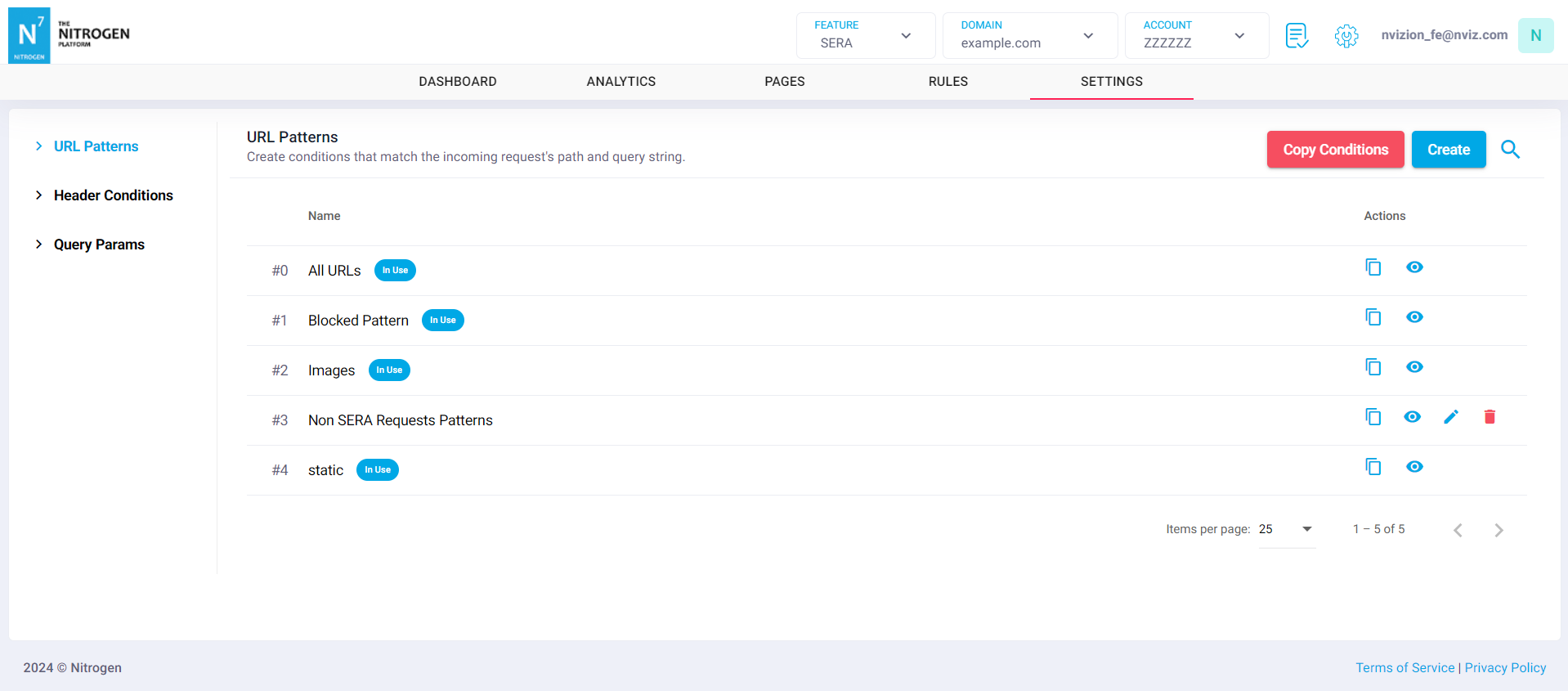
You can now use this URL pattern at many places such as condition groups.