SERA integration on Akamai
Kindly follow the below steps to setup the routing of bot traffic to SERA.
Prerequisites
- All your page requests must get intercepted by below SERA routing rule
- Please check your routing, caching and cache-variation policies for that
- If caching is enabled, Users and Bots should have a separate cache-variations configured. This is to not serve the SERA's bot-optimized-content to users.
Steps
-
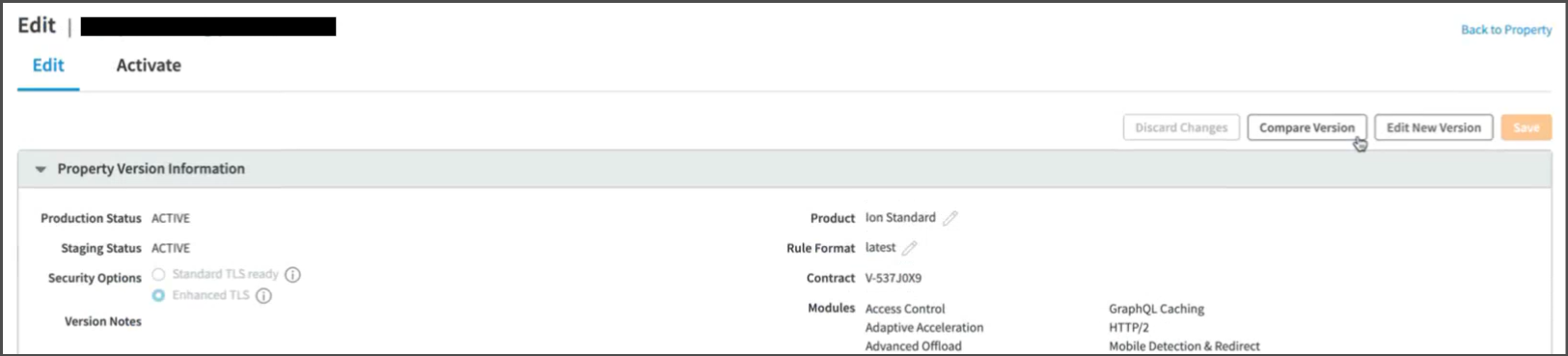
Open Akamai Dashboard, and Create new Configuration Version
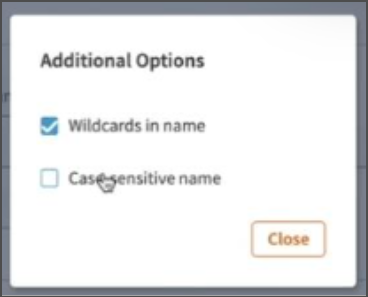
From now onwards, while creating any condition, uncheck the
Case-sensitive namecheckbox from theAdditional Optionsmenu.
-
Creating Property configuration rule
-
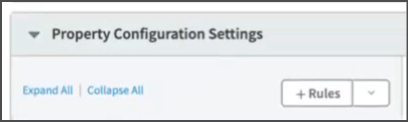
Create new rule in Property Configuration Settings
-
Add following conditions :
-
Request Method: Selectis one ofcondition, and set value asGET -
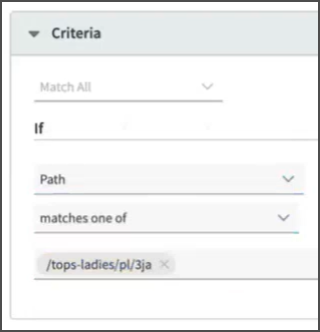
Path: Selectmatches one ofcondition, and add respective page url pattern(s) that will be sent to SERA
-
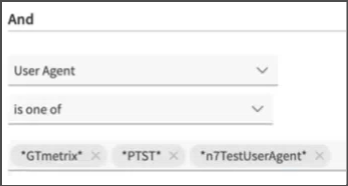
User-Agent: Selectis one ofcondition for following user-agent values-
During POC phase, add these agents :
*n7TestUserAgent**PTST**GTmetrix**google\ page\ speed**chrome-lighthouse**google-inspectiontool**n7ua*
-
For going live with SERA, add these agents :
*n7TestUserAgent**PTST**GTmetrix**google\ page\ speed**chrome-lighthouse**google-inspectiontool**n7ua**googlebot**facebookexternalhit**bingbot*
-
For going live with SERA on AI bots, add these agents :
*openai**gptbot**claudebot**claude-user**perplexity-user**perplexity-bot**google-extended**google-cloudvertexbot**google-notebooklm**amazonbot**duckassistbot**metaai**metabotic**meta-externalagent**copilot**baiduspider*
-
-
File Extension:- Select
is one ofcondition for your page extension value likehtml,aspx,php
If the pages do not have any extension, leave the list empty.
- Select
-
Request Header: Selectdoes not existscondition and set value asx-nv-appas header name -
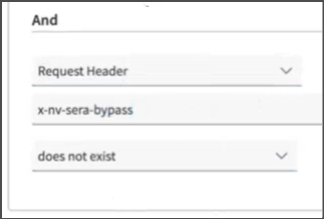
Request Header: Selectdoes not existscondition and set value asx-nv-sera-bypassas header name
-
Add a rule to exclude any requests containing the
nsbpquery parameter in their url
-
-
-
Adding Behavior to the rule
-
Scroll down to
Behaviorssection -
Click on
+ Behavior button

-
IF YOUR SITEMAP PAGE URLS DO NOT HAVE QUERYSTRING - add
Remove Outgoing Request Parameters Behavior, and keep the parameter list empty -
Scroll down to
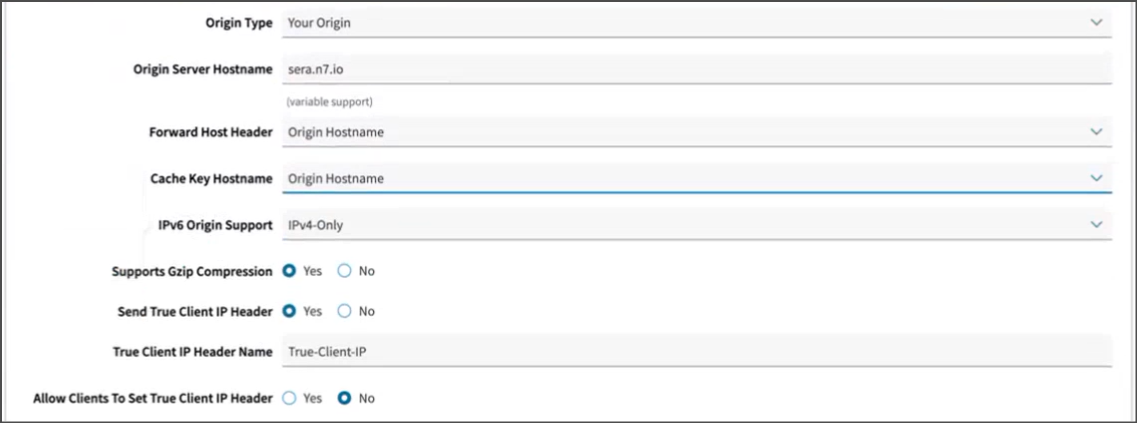
Origin Serversection, and fill following details :Origin Type:Your originOrigin Server Hostname:SERA_ENDPOINT(Use the one shared by N7 team with you)Forward Host Header: Leave as it isCache Key Hostname: Leave as it isIPV6 Origin Support: Leave as it isSupports Gzip Compression: Leave as it isSend True Client IP Header: Leave as it isTrue Client IP Header Name: Leave as it isAllow clients To Set True Client IP Header: Leave as it is
-
Scroll down to
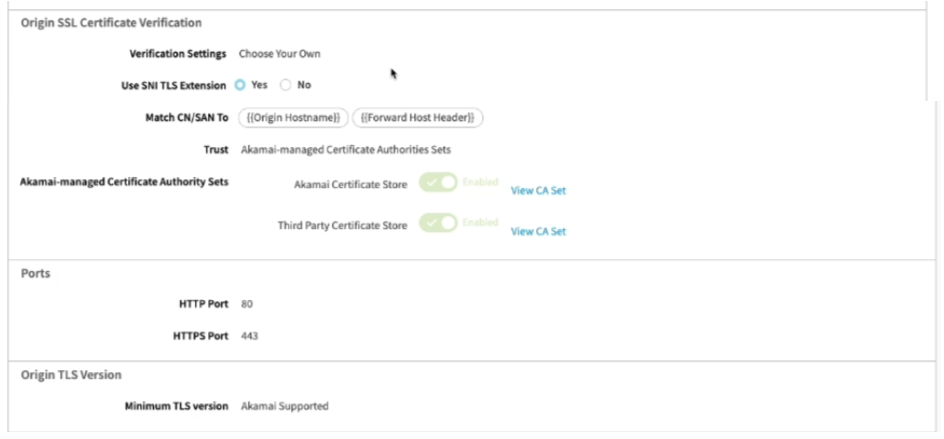
Origin SSL Certificate Verification,Ports,Origin TLS Versionsections, and fill following details :Origin SSL Certificate Verification:Verification Settings:Choose Your OwnUse SNI TLS Extension:YesMatch CN/SAN To: Leave as it isTrust:Akamai-managed Certificate Authorities SetsAkamai-managed Certificate Authorities Sets: Switch on bothAkamai Certificate StoreandThird Party Certificate Store
Ports:HTTP Port:80HTTPS Port:443
Origin TLS Version:Minimum TLS Version:Akamai Supported
-
Scroll down to
Caching rulesection, andDeleteit :
-
-
Setting up Outgoing request header
-
Scroll back up to
Behaviorssection top -
Click on
Standrd property behavior

-
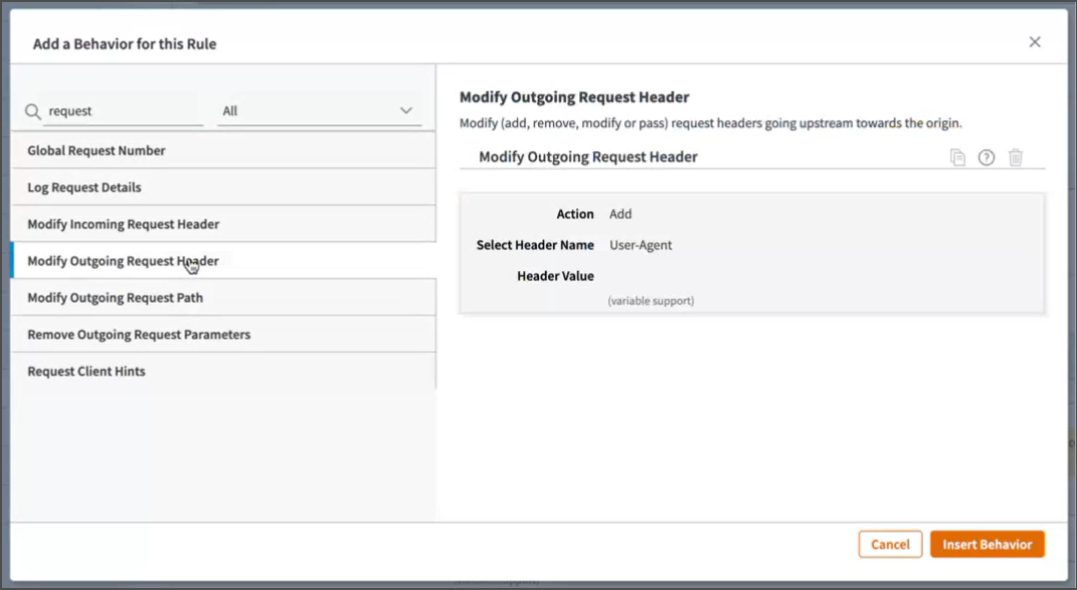
Select
Modify Outgoing request headerfrom the list, and Click onInsert Behaviorbutton
-
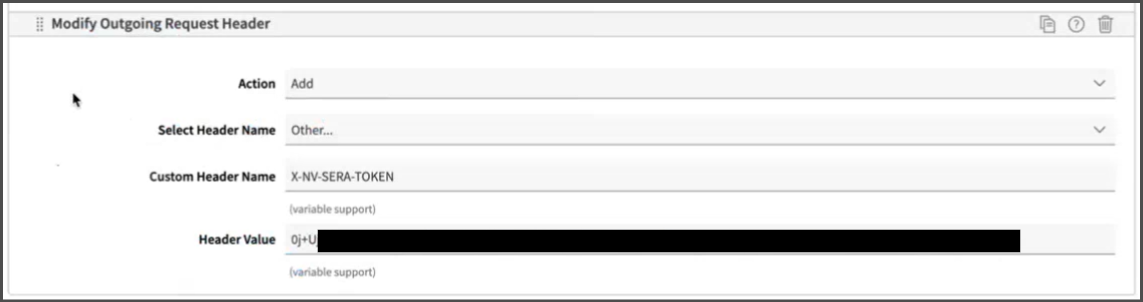
Fill following details :
Action:AddSelect Header Name:OtherCustom Header Name:X-NV-SERA-TOKENHeader Value: The value shared by N7 team with you
-
Add another header
Custom Header Name:X-NV-ACCESS-KEYHeader Value: The value shared by N7 team with you
-
-
Save and Activate
-
Scroll to bottom, click on and
Savebutton

-
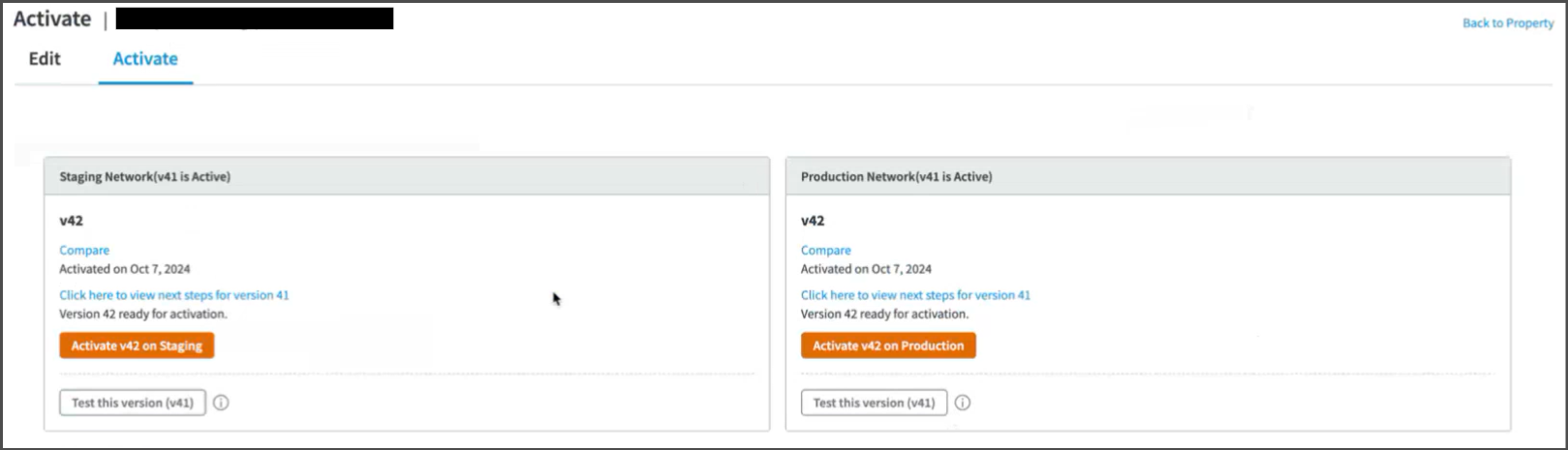
Switch to
Activatetab, andActivateit in the respective environments
-
To verify, access any page matching configured pattern, and with one of the configured user-agents. It should show few response headers starting with
X-SERA
-
-
Testing and Refinement
-
Keep refining the logic by adjusting user-agent list, and SERA exclusion-patterns as needed.
-
Test thoroughly:
-
WPT and GTMetrix will automatically receive the response from SERA due to the routing rule set above.
- Steps to validate page using WPT
-
To check the SERA rendered page on browser, you can use DevTools > Network conditions facility, or some browser extension (like Simple modify headers) to manipulate the browser user-agent. If in testing phase, use these user-agent values: For desktop:
For mobile: If SERA is live, you can use these actual bot user-agent values: For desktop: For mobile:
-
-
Whitelist SERA requests at your origin to avoid any issues with indexing. Details are here
-
On go-live day, set the user-agent condition regex to actual bot user-agent values. Additionally, ensure that your condition is case-insensitive.
-
After go-live, in any dashboards created for monitoring the "actual user traffic" e.g. Google analytics, exclude the requests with user-agent string containing word "Nitrogen SERA" to get correct understanding about user-traffic.