SERA integration on CloudFront
Kindly follow the below steps to setup the routing of bot traffic to SERA.
Prerequisites
-
Your origin server does not need host header to manage routing.
This is because while forwarding bot requests to SERA, you need to send the SERA'shostheader instead of your domain's header on the request (to avoid SAN error).
For this, you need to attachAllViewerExceptHostHeaderasOrigin request policyto the respective behavior that'll be forwarding the bot request. In this case, if your origin is expectinghostheader to route the request, it will fail.- In case, this is not possible, you can check with N7 team for
_acme_challengeCNAME record to add at your end.
With this, we will be able to generate SSL certificate for your domain at our end - which will avoid SAN error.
- In case, this is not possible, you can check with N7 team for
-
All your page requests must get intercepted by Cloudfront function/lambda-function
- Please check your routing, caching and cache-variation policies for that
-
Users and Bots should have a separate cache-variations configured. This is to not serve the SERA's bot-optimized-content to users.
Steps
-
Creating a function
-
Open Cloudfront Dashboard, and select
Functionsmenu on the left side

-
Click on
Create function

-
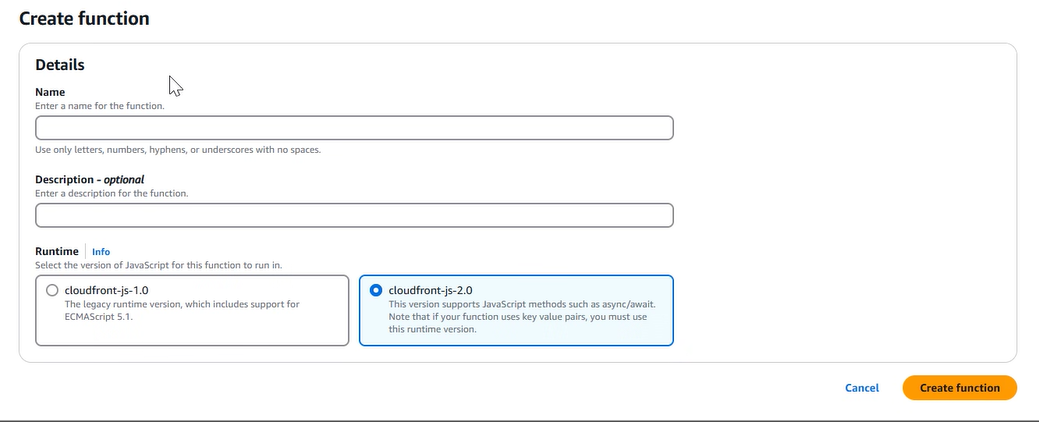
Fill the details as shown below :
In
Name:Runtime, selectCloudfront-js-2.0
And then Click onCreate function
-
Select
Buildtab
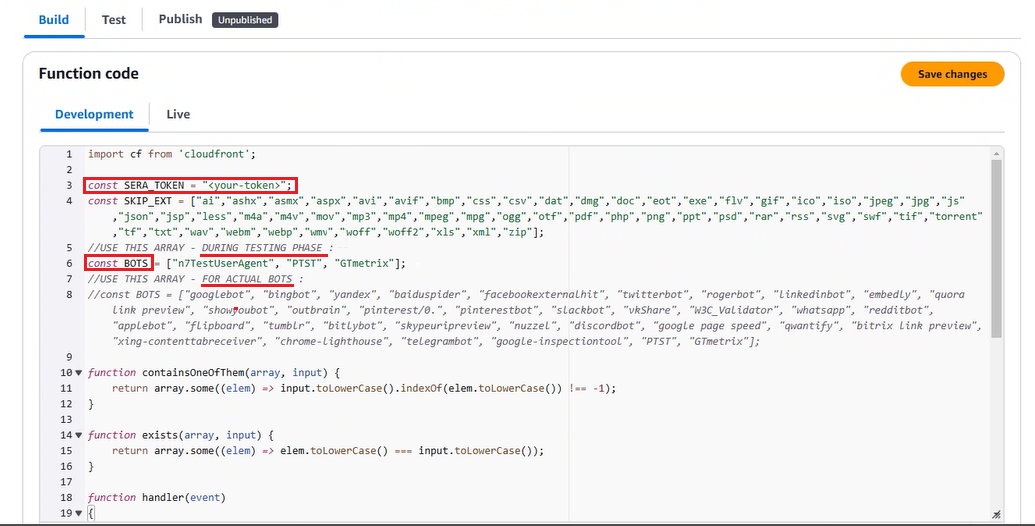
Copy the code from this js file, and paste it in the textarea.
For Lambda JS, copy the code from this js file.
Put the SERA token shared with you inSERA_TOKENvariable value
Keep required value uncommented forBOTSvariable based on testing/live phase
Click onSave
-
Select
Testtab
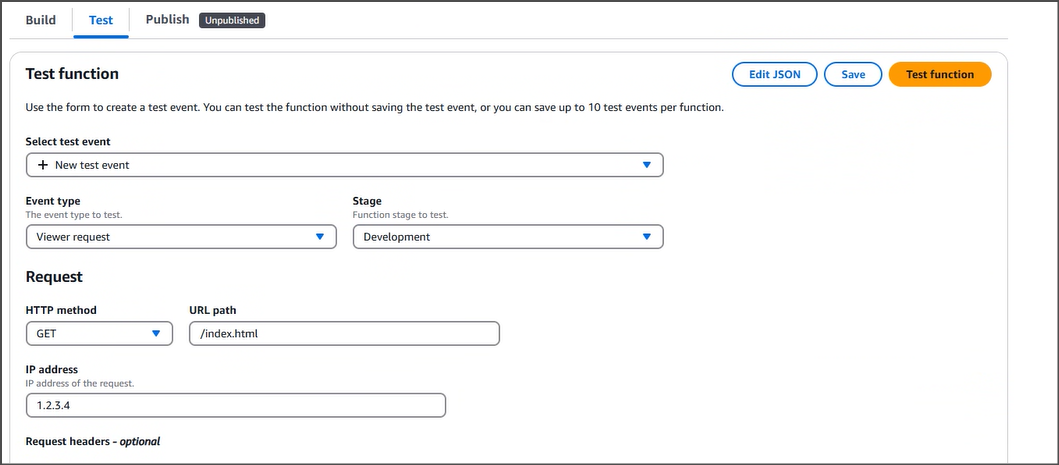
Leave everything unchanged, and click onTest function. You should then see a success message.
-
Select
Publishtab
Click onPublish function

-
-
Associating the function to Behavior
-
Select
Distributions menuon Left
-
Click on the respective distribution from the list OR create a new one for URL pattern to be sent to SERA
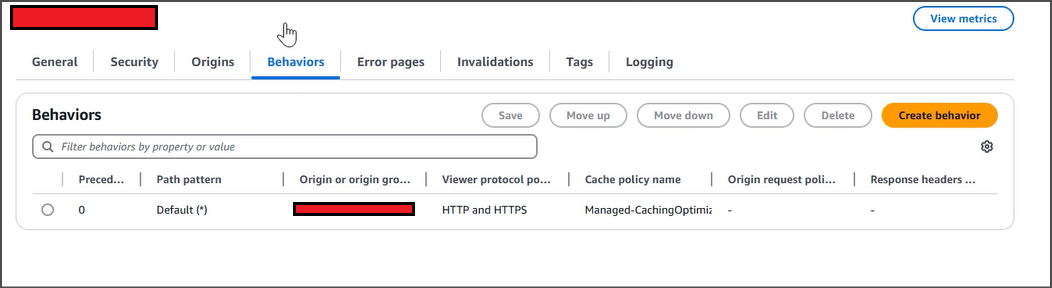
SelectBehaviorstab
-
Select respective behavior, and
Editit
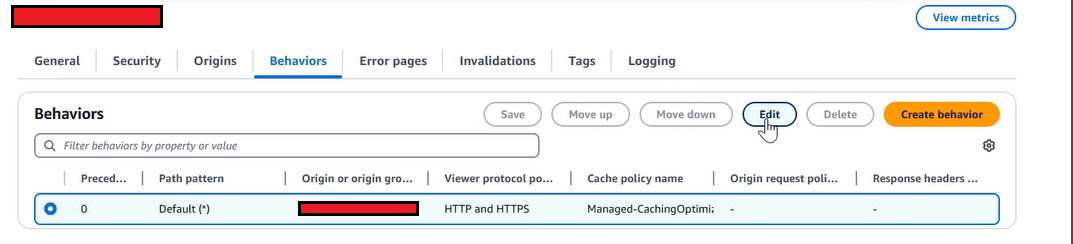
-
Set
Origin request policytoAllViewerExceptHostHeader. This is to retain SERA endpoint host header when Cloudfront proxies request to it to avoid SAN errors.
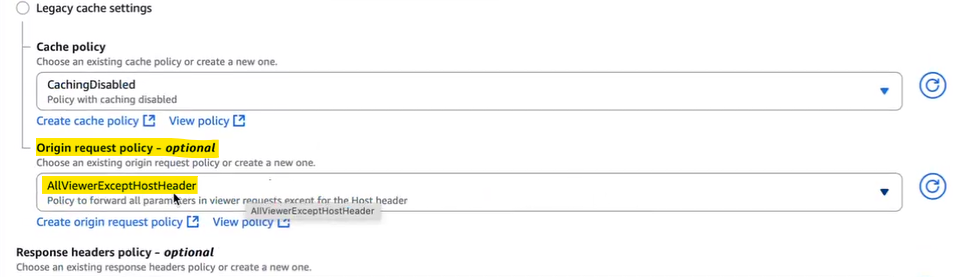
-
Go to bottom
Function associationssection at bottom
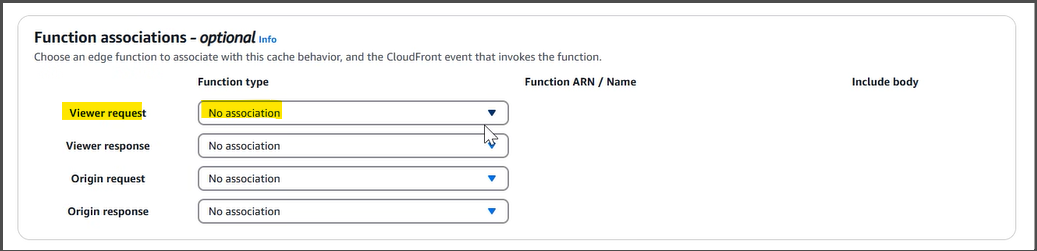
-
In
Viewer requestsection, selectCloudfront Functionsas Function type
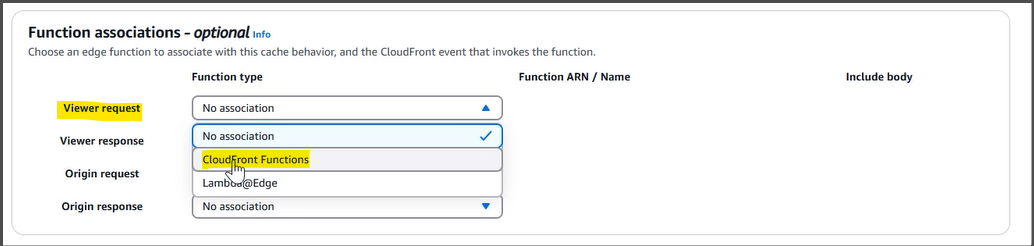
-
Select the created function (
n7-sera-routing) inFunction ARN/Namedropdown
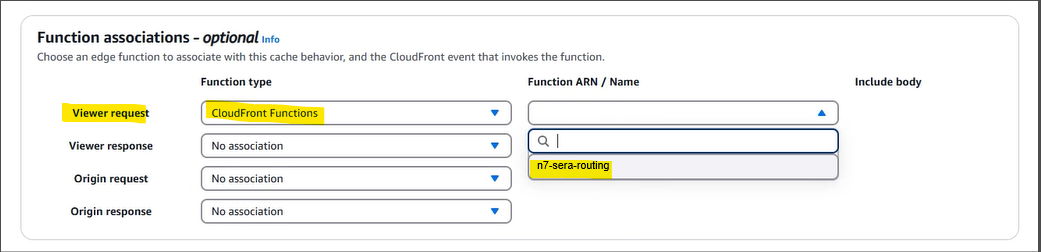
-
Save
-
-
Testing and Refinement
-
Keep refining the logic by adjusting user-agent list, and SERA exclusion-patterns as needed.
-
Whitelist SERA requests at your origin to avoid any issues with indexing. Details are here
-
Test thoroughly:
-
WPT and GTMetrix will automatically receive the response from SERA due to the routing rule set above.
- Steps to validate page using WPT
-
To check the SERA rendered page on browser, you can use DevTools > Network conditions facility, or some browser extension (like Simple modify headers) to manipulate the browser user-agent. If in testing phase, use these user-agent values: For desktop:
For mobile: If SERA is live, you can use these actual bot user-agent values: For desktop: For mobile:
-
-
On go-live day, set the user-agent condition regex to actual bot user-agent values. Additionally, ensure that your condition is case-insensitive.
-
After go-live, in any dashboards created for monitoring the "actual user traffic" e.g. Google analytics, exclude the requests with user-agent string containing word "Nitrogen SERA" to get correct understanding about user-traffic.
-